
There are a lot of reasons why someone may want to convert images. Whether you want to upload them on a site, add them to a project or for the simple fact that they are too large, pictures always seem to have the wrong extension. A simple way to solve this issue would be using a converter, just like Spesoft Image Converter.
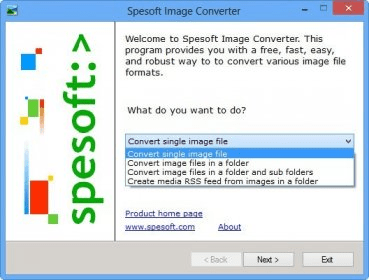
Depending on how demanding you are, Spesoft Image Converter can be either a good application or a medium one. It has a lot of qualities like being efficient or having an interface that anyone can easily use, but as far as I'm concerned it has the same major fault that many other Speosoft programs have: it can only batch convert that files in specified folder. This means that you can not create your own list of files to be converted and that your only solution is to waste time and move them to the same directory.
As far as the rest goes, Spesoft Image Converter is a pretty common application that basically has all the regular features that you would expect from any image converter. It even offers a few image editing options like crop or rotate.
All things considered, Spesoft Image Converter is an application that I recommend for users who are looking for a quick and easy solution. It doesn't do anything fancy, but it gets the job done and if you can get past the annoying installation process, this program can be a really useful tool to have.




Comments